Your website already has everything it needs to rank higher – it’s just not connected properly.
Internal linking simply means adding links from one page on your website to another page on the same website. Although, It sounds basic. But in 2026, it is becoming one of the most powerful ranking signals you can control.
Unlike backlinks, which depend on other websites, internal linking is completely within your control. As a result, you can improve your site’s structure, user experience, and search visibility without relying on external websites.
In this article, you will learn:
- What internal linking really does
- Why it will matter even more in 2026
- How to do internal linking the smart way
- Where to add internal links inside this blog
What Is Internal Linking?
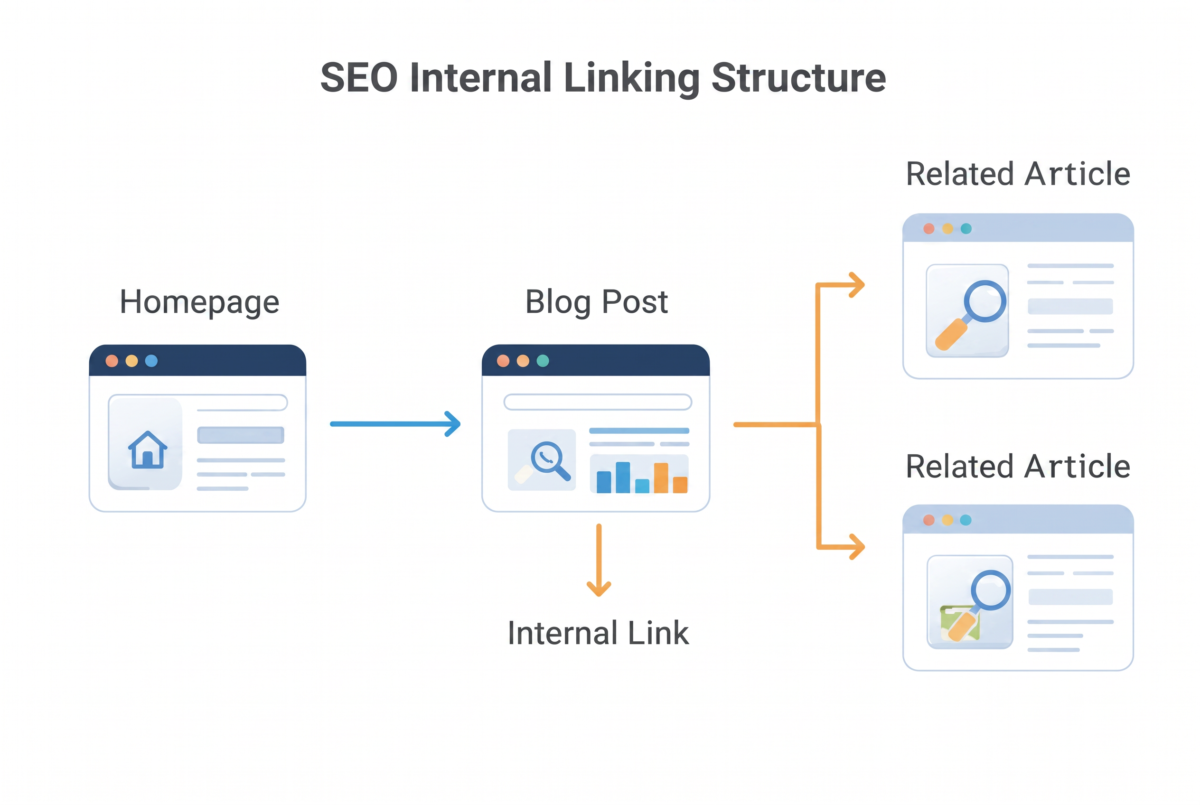
Internal linking is the practice of connecting pages within your own website using hyperlinks. For example, if you write a blog post about SEO strategy and link it to a related post about search visibility that is internal linking.
These links help two groups: your readers and search engine bots. First, readers get more useful content to explore. Meanwhile, bots get a clear path to crawl and understand your site. As a result, both benefit, which can improve rankings.
1. Users find related content
2. Search engines discover pages
3. Search engines understand which pages are more important
Why Internal Linking Matters in 2026
1. Google’s AI Search Needs Clear Site Structure
Search is moving toward AI-driven results. As a result, Google’s systems now try to understand entire topics instead of individual pages. A website with strong internal linking shows Google how its content connects. This helps AI systems understand your expertise and trust your site more.
When internal linking is done well:
A) Google finds pages faster
B) Google understands relationships between topics
C) Important pages get more focus
2. Internal Linking Spreads Ranking Power
Every page on your website has some ranking value. When you link from a strong page to a weaker one, you pass some of that value along. Consequently, important pages gain more visibility and have a better chance of ranking.
3. It Helps Google Crawl and Index Your Site Faster
Search engine bots follow links to discover pages. Therefore, a strong internal linking structure helps Google find new content faster.
If a page has no internal links pointing to it, Google may take longer to find it, or may miss it completely. This is known as an “orphan page” problem.
A clear internal linking structure fixes this. It helps new content get indexed faster, which matters a lot in fast-moving topics like in AI search, digital marketing.
4. It Keeps Visitors on Your Site Longer
When you add helpful internal links, readers click through to learn more. As a result, they spend more time on your website. Readers click through to learn more. This increases time on site and reduces bounce rate.
Search engines notice this behavior. Pages that keep visitors engaged tend to rank better over time.
This matters even more now, as many brands are losing traffic to zero-click search results and AI-generated answers. Strong internal linking gives visitors a reason to stay on your website instead of leaving after one page.
5. Small Sites Can Compete With Big Brands
One of the biggest myths in SEO is that only large websites with huge budgets can rank well. However, that is no longer always true. Instead, smaller websites can compete with big brands by building a strong internal linking structure and publishing high-quality content.
Internal Linking Best Practices
The websites winning in 2026 won’t be the loudest – they’ll be the best connected.
Here are simple, practical steps to build a strong internal linking strategy:
1. Link from High-Authority Pages
Find your best-performing blog posts or pages. Add links from these pages to newer or important pages that need a ranking boost.
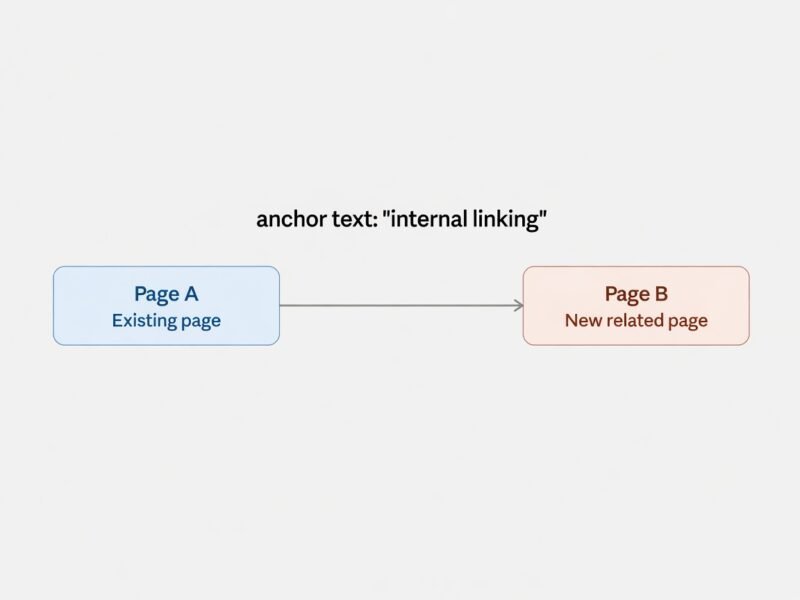
2. Use Descriptive Anchor Text
Avoid generic text like “click here.” Instead, use keyword-rich anchor text such as “SEO strategy tips” or “AI search visibility guide.” This tells Google exactly what the linked page is about.
3. Link to Related Topics Only
Do not link randomly. Only link to pages that are genuinely related to the topic you are writing about. Relevant internal links feel natural to readers and make more sense to search engines.
4. Avoid Too Many Links on One Page
Too many internal links can confuse both readers and search engines. Focus on quality over quantity. A handful of well-placed, relevant links works better than dozens of random ones.
5. Update Old Content With New Links
When you publish a new article, go back to older, related posts and add a link to the new one. This keeps your entire website connected and up to date.
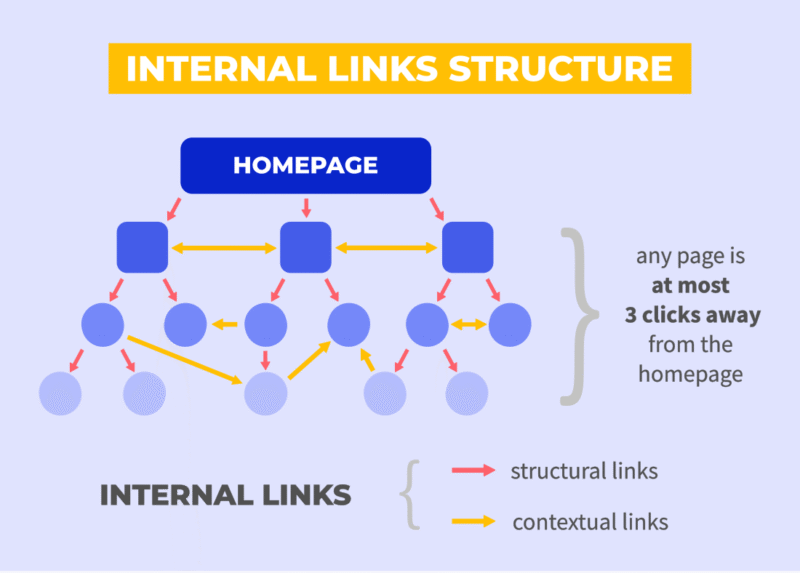
6. Create Pillar and Cluster Content
Build one main “pillar” page on a broad topic, then create smaller “cluster” posts on specific subtopics. Link all cluster posts back to the pillar page, and link the pillar page out to each cluster post. This structure is one of the strongest internal linking strategies for 2026.
Avoid Common Linking Mistakes
Even a well-planned internal linking strategy can be ineffective if common mistakes are overlooked. Here are five mistakes to avoid when building your internal links:
1) Random Linking
Do not link randomly. Instead, connect only those pages that are genuinely relevant to the topic. This way, readers enjoy a smoother experience, and search engines better understand your content relationships.
2) Using the Same Anchor Text Repeatedly
Avoid using identical anchor text for every internal link. Instead, use natural and descriptive variations that accurately describe the linked page.
3) Ignoring Orphan Pages
Every important page should receive at least one internal link from a relevant page. Otherwise, search engines may struggle to discover and index it.
4) Linking in Only One Direction
A strong internal linking strategy connects related pages both ways whenever appropriate. For example, a pillar page should link to its supporting articles, and those articles should also link back to the pillar page.
5) Linking to Thin or Low-Quality Content
Internal links cannot make weak content rank better on their own. Therefore, ensure that every linked page offers useful, informative, and high-quality content.
Pro Tip: Review your internal links every few months to fix broken links, update anchor text, and connect new articles with existing content. Regular maintenance keeps your website well-organized and improves both user experience and SEO.
Internal Linking Checklist 2026
A) Link every new blog to 3–5 older articles
B) Use descriptive anchor text
C) Fix orphan pages
D) Review links every quarter
E) Build pillar-cluster content
Conclusion:
Internal linking used to be treated as a small technical detail. In 2026, it is becoming a core ranking strategy. It helps search engines understand your site, spreads ranking power across your pages, and keeps readers engaged longer.
As AI-driven search continues to grow, websites with clear, well-organized internal links will have a real advantage. The good news is that internal linking costs nothing and is fully within your control. Start reviewing your website today, connect your best content, and give your pages the internal support they need to rank higher.
Frequently Asked Questions
1. What is internal linking in SEO?
Internal linking is adding hyperlinks from one page on your website to another page on the same website. It helps search engines understand your site structure and helps readers find related content.
2. Why is internal linking important for ranking in 2026?
As AI-driven search and Generative Engine Optimization grow, search engines rely more on internal links to understand topic relationships, crawl new pages faster, and pass ranking value between pages.
3. How many internal links should one blog post have?
3–6 relevant internal links per 1000 words is a safe range. Focus on relevance, not quantity.
4. What’s the difference between internal linking and backlinks?
Internal links connect pages within the same site and are fully in your control. Backlinks come from other websites and depend on outside sources.
5. Can internal linking help fix orphan pages?
Yes. Orphan pages have no internal links pointing to them, making them hard to find. Linking from related, high-authority pages helps them get indexed and ranked.
6. Does internal linking work well with AI search and zero-click results?
Yes. It keeps visitors on your site longer after they click through, and strengthens topic authority — which supports visibility in AI-generated answers.
Discover how leading brands are winning in AI search—only on Digital Pocket News

Digital Marketing & Project Manager with 11+ years of experience driving B2B/B2C growth. Specializes in scalable strategies that consistently deliver impressive results, including 40-80% revenue growth, 50%+ traffic boosts, and 35% MQL conversions. Proficient in digital marketing techniques such as SEO, SEM, PPC, social media, email marketing, and utilizing marketing automation tools like Marketo, HubSpot, and Salesforce. Demonstrated success in managing marketing budgets exceeding $1.3M and leading cross-functional teams to achieve 25-70% revenue and client growth. Skilled at aligning digital roadmaps with business goals for clients. Adept in data analysis and web analytics to inform decision-making. Known for pioneering AI-driven campaigns and leveraging predictive trends for a competitive edge.